
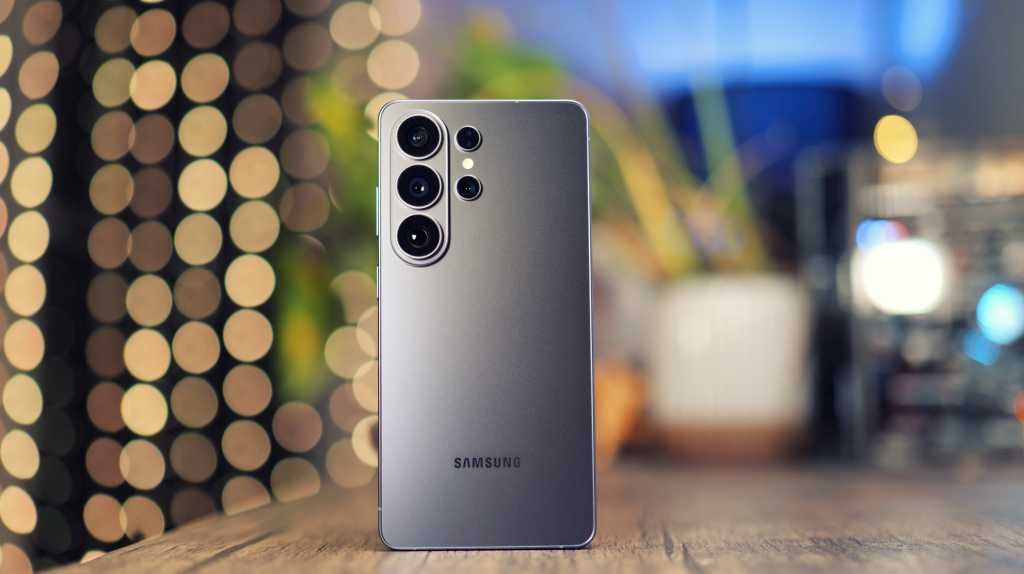
The latest release from Samsung, the Galaxy S26 Ultra, is here with a plethora of new features to explore. From productivity tools to creative apps and AI tricks, this flagship phone is packed with innovation. If you have decided to invest in this cutting-edge device, this article is here to guide you on how to make the most of it. Whether you own the S26 Ultra, S26, or S26+, these tips will help you unlock the full potential of your device.
- Adjust the Privacy Display
The Privacy Display feature on the Samsung Galaxy S26 Ultra is a standout feature that allows you to protect your screen from prying eyes. By enabling Privacy Display, you can prevent others from viewing your screen at an angle. While this feature may affect the screen resolution, contrast, and brightness, it is easy to toggle on and off. You can customize the settings to suit your preferences and even set automatic triggers for certain apps or activities. - Reorganize the Quick Settings
The S26 Ultra offers extensive customization options for the Quick Settings menu. You can rearrange the icons, resize buttons, and even switch to vertical sliders. This feature allows you to personalize your Quick Settings for easy access to your most-used functions. - Boost the Resolution
While the S26 Ultra comes with a default display resolution of 1080p, you can enhance the display by adjusting the resolution settings. By switching to higher resolutions like QHD+, you can enjoy sharper images and vibrant colors on your screen. - Save Time with Now Nudge
Now Nudge is a time-saving feature that enhances predictive replies on your device. This feature provides quick access to relevant information or actions based on your incoming messages. By enabling Now Nudge, you can streamline your interactions and stay productive throughout the day. - Make Images with Creative Studio
Creative Studio is a new app that leverages AI to create custom images, stickers, wallpapers, and more. Simply input your idea, and Creative Studio will generate the desired artwork in minutes. This feature adds a fun and creative element to your device, allowing you to express yourself in unique ways. - Switch Up Your Voice Assistant
With the return of Bixby on the S26 models, you have the option to choose between Bixby, Gemini, or Perplexity as your voice assistant. Each assistant offers distinct features and functionalities, allowing you to select the one that best suits your needs. Whether you prefer Bixby’s control over settings or Gemini’s information retrieval capabilities, you can customize your voice assistant experience. - Turn on Call Screening
The Call Screening feature on the S26 models enables you to screen calls from unknown numbers. This feature utilizes AI to interact with unknown callers, providing you with a transcript of the conversation before deciding to answer. By enabling Call Screening, you can effectively manage spam calls and protect your privacy. - Use Audio Eraser on YouTube, Netflix, and Instagram
Audio Eraser, a versatile feature, can now be used on various platforms like YouTube, Netflix, and Instagram. This feature allows you to reduce background noise and enhance voice clarity in videos, ensuring a better viewing experience. By activating Audio Eraser, you can enjoy improved audio quality while watching your favorite content. - Create Smooth Videos with Horizontal Lock
The Horizontal Lock stabilization mode on the S26 Ultra ensures that your videos maintain a level horizon, even when tilting the device. This feature eliminates shaky footage and produces professional-looking videos with a consistent horizon level. By utilizing Horizontal Lock, you can enhance the quality of your video recordings and achieve a polished result. - Use APV for Professional Video
APV (Advanced Professional Video) is a new codec introduced on the S26 models, designed for professional video production. This feature offers higher image fidelity, a wider color gamut, and improved editing flexibility, making it ideal for professional videography. While APV produces high-quality videos, it is recommended for professional use due to its large file sizes and advanced capabilities.In conclusion, the Samsung Galaxy S26 Ultra is a powerhouse of innovation, offering a wide range of features and functionalities to enhance your smartphone experience. By exploring these tips and tricks, you can make the most of your device and unlock its full potential. Whether you are a creative enthusiast, productivity seeker, or professional videographer, the S26 Ultra has something for everyone. Embrace the cutting-edge technology of the S26 series and elevate your mobile experience to new heights.