
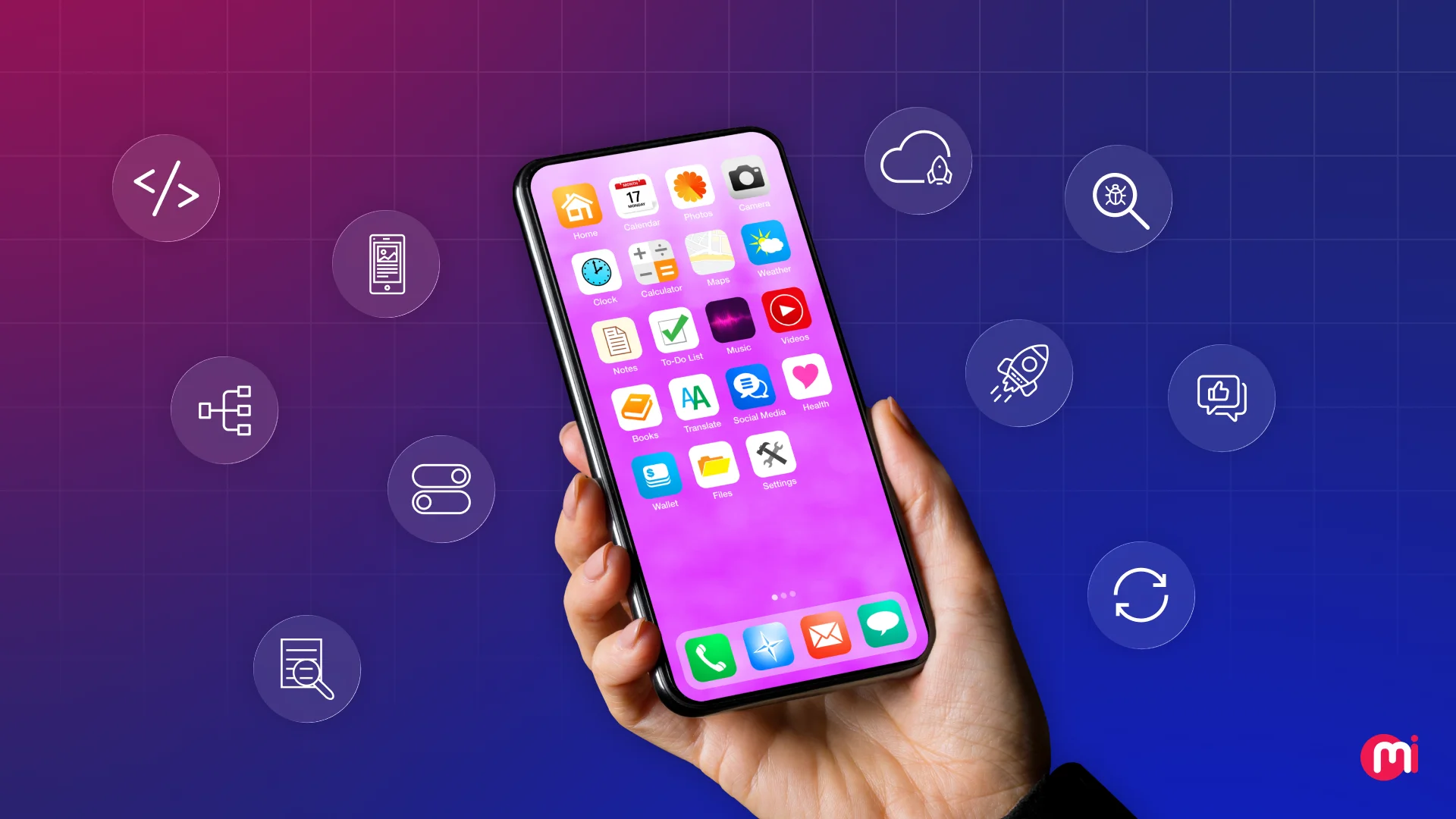
Gone are the days when building a mobile app simply meant diving into coding. Today, mobile app development services encompass a wide range of product-building processes that are crucial for success in an ever-expanding market. With the mobile app development industry projected to reach a staggering $1230.23 billion by 2035, it is more important than ever to understand the intricacies of creating a successful mobile app.
Mobile app development is a systematic workflow that involves extensive research, defining features, designing user interfaces, selecting the right technology stack, building a Minimum Viable Product (MVP), rigorous testing, and finally launching the app on both iOS and Android platforms.
In this comprehensive guide, we will delve into a practical 10-step mobile app development process that our team follows to transform an app idea into a fully-fledged product, highlighting the significance of each stage and its impact on the overall success of the app.
Key Takeaways:
1. Mobile app development is a structured product-building process that commences with validation and culminates in continuous iteration.
2. The initial decision of choosing between cross-platform, native, or Progressive Web Apps (PWA) can significantly influence 60-70% of your budget, timeline, and the ultimate quality of your app.
3. Failure of apps is often attributed to solving the wrong problem or targeting the wrong audience, underscoring the importance of thorough market research.
4. Feature planning should incorporate frameworks like MoSCoW to expedite the launch process and prevent the creation of bloated MVPs.
5. Defining a business model early on is essential as successful apps begin generating revenue on paper before the development phase commences.
6. Selecting mobile app technology based solely on trends and without proper analysis can prolong the development timeline by 6-12 months and escalate long-term maintenance costs.
7. A well-constructed MVP is not a half-baked product; it should provide a solid foundation for further development and refinement.
By following these steps and embracing a strategic approach to mobile app development, you can enhance the chances of creating a successful app that resonates with your target audience and stands out in the competitive app market. They will focus on building a Minimum Viable Product (MVP) that solves the core problem identified in the market research phase.
Here’s how to define your core features and functions:
Create a feature list based on your initial research and user personas. Include must-have features that solve the core problem and differentiate your app from competitors.
Use the MoSCoW method (Must have, Should have, Could have, Won’t have) to prioritize features. Focus on the “Must have” features for your MVP.
Create user stories for each feature, detailing the user’s goal, actions, and expected outcomes. This will help you understand how users will interact with your app.
Map out user flows and wireframes to visualize how users will navigate through your app and interact with its features.
Create a clickable prototype to test the user experience before investing in development.
Consider the technical feasibility and scalability of each feature. Ensure that your chosen development approach can support the features you want to include.
Typical time for this step: 1-2 weeks
Common mistakes in defining core features:– Trying to build everything at once– Adding features based on personal preferences rather than user needs– Not prioritizing features based on impact and feasibility💡 Pro tip: Use tools like Trello, Asana, or Jira to create a feature backlog and prioritize tasks based on the MoSCoW method.
By defining your core features and functions, you’ll have a clear roadmap for development and ensure that your app remains focused on solving the core problem for your target users.
Step 3: Choose the Right Tech Stack and Development Approach
Choosing the right tech stack and development approach is crucial for the success of your mobile app. In 2026, you have more options than ever before, including native app development, cross-platform development, and Progressive Web Apps (PWAs).
Here’s how to choose the right tech stack and development approach:
Consider the requirements of your app, such as performance, access to native features, and budget. Choose a tech stack that aligns with your app’s needs.
Evaluate the pros and cons of native app development, cross-platform development, and PWAs based on your app’s requirements.
Research the leading tools and frameworks for each development approach. For native development, consider using Swift, Kotlin, SwiftUI, or Jetpack Compose. For cross-platform development, Flutter, React Native, or Kotlin Multiplatform are popular choices. For PWAs, Next.js with PWA plugins or Ionic can be used.
Consider the long-term viability of your chosen tech stack. Ensure that it will support your app’s growth and evolution into future versions without requiring a complete rebuild.
Typical time for this step: 1-2 weeks
Common mistakes in choosing the right tech stack:– Not considering the performance implications of your chosen tech stack– Choosing a tech stack that doesn’t align with your app’s requirements– Failing to consider the long-term scalability of your tech stack💡 Pro tip: Consult with experienced mobile app developers to help you choose the right tech stack for your app.
By choosing the right tech stack and development approach, you’ll set your app up for success in terms of performance, scalability, and future evolution.
Step 4: Design a User-Centric UI/UX
User experience is a critical factor in the success of your mobile app. In 2026, users expect intuitive, visually appealing interfaces that make it easy to accomplish tasks.
Here’s how to design a user-centric UI/UX for your mobile app:
Create wireframes and mockups based on your defined core features and user stories. Consider the user’s journey through your app and design each screen to facilitate their goals.
Follow design best practices, such as using consistent branding, clear navigation, and intuitive interactions. Use design tools like Figma, Sketch, or Adobe XD to create high-fidelity designs.
Test your designs with real users to gather feedback on usability, clarity, and visual appeal. Iterate on your designs based on user feedback to improve the overall user experience.
Consider accessibility and inclusivity in your design. Ensure that your app is usable by all users, including those with disabilities.
Collaborate closely with developers during the design process to ensure that your designs can be implemented effectively within the chosen tech stack.
Typical time for this step: 2-3 weeks
Common mistakes in designing UI/UX:– Ignoring user feedback during the design process– Overcomplicating the user interface with unnecessary elements– Failing to consider accessibility and inclusivity in design💡 Pro tip: Use user testing tools like UserTesting or Maze to gather feedback on your designs from real users.
By designing a user-centric UI/UX, you’ll create an app that is intuitive, visually appealing, and easy to use, enhancing the overall user experience.
Step 5: Develop and Test Your Mobile App
Development and testing are crucial phases in the mobile app development process. In 2026, the most reliable apps combine automated testing, real-device testing, security testing, and beta feedback to ensure a high-quality product.
Here’s how to develop and test your mobile app effectively:
Start development by building the core features of your app based on the defined user stories and wireframes. Use an Agile development approach to iterate quickly and adapt to changing requirements.
Implement automated testing to catch bugs and ensure consistent performance across devices. Use tools like Appium, Selenium, or XCTest for automated testing.
Conduct real-device testing to ensure that your app functions correctly on a variety of devices and screen sizes. Test for performance, responsiveness, and compatibility with different operating systems.
Perform security testing to identify and mitigate potential vulnerabilities in your app. Consider using tools like OWASP ZAP or Burp Suite for security testing.
Gather feedback from beta testers to identify usability issues, bugs, and areas for improvement. Use beta testing platforms like TestFlight or Google Play Console to distribute your app to testers.
Iterate on your app based on testing feedback, making improvements to functionality, performance, and user experience as needed.
Typical time for this step: 4-6 weeks
Common mistakes in developing and testing a mobile app:– Skipping automated testing in favor of manual testing– Neglecting real-device testing, leading to compatibility issues– Failing to prioritize security testing, leaving the app vulnerable to attacks💡 Pro tip: Use continuous integration and continuous delivery (CI/CD) tools like Jenkins or CircleCI to automate testing and deployment processes.
By following a structured development and testing process, you’ll ensure that your app is secure, stable, and scalable enough to evolve into future versions without requiring a complete rebuild.
Step 6: Prepare for Mobile App Launch
Launching your mobile app is a critical milestone in the development process. In 2026, your mobile app launch process should include App Store Optimization (ASO), a phased rollout strategy, analytics, and post-launch updates to help you decide whether your app grows or quietly disappears.
Here’s how to prepare for a successful mobile app launch:
Optimize your app store listing using ASO techniques to improve visibility and attract downloads. Consider factors like keywords, app name, screenshots, and reviews in your optimization strategy.
Plan a phased rollout strategy to release your app to a small group of users initially, then gradually expand to a wider audience. Use beta testing and soft launches to gather feedback and identify issues before the full launch.
Set up analytics tools like Firebase, Google Analytics, or Mixpanel to track user behavior, engagement, and retention. Use this data to make informed decisions about future updates and features.
Prepare a post-launch update plan to address user feedback, bug fixes, and feature enhancements. Regular updates will keep users engaged and demonstrate your commitment to improving the app.
Consider marketing and promotion strategies to generate buzz around your app launch. Use social media, influencer partnerships, and app review sites to reach a wider audience and drive downloads.
Typical time for this step: 2-4 weeks
Common mistakes in preparing for a mobile app launch:– Neglecting ASO and failing to optimize the app store listing– Skipping beta testing and soft launches, leading to unexpected issues at full launch– Ignoring analytics and user feedback post-launch, missing opportunities for improvement💡 Pro tip: Use tools like AppFollow, App Annie, or Sensor Tower to track app store performance and optimize your ASO strategy.
By preparing for your mobile app launch with ASO, a phased rollout strategy, analytics, and post-launch updates, you’ll set your app up for success and increase its chances of growth in the competitive app market.
Step 7: Monitor, Analyze, and Iterate
After your app launch, the work isn’t over. In 2026, successful app developers continuously monitor, analyze, and iterate on their apps to keep them relevant, engaging, and profitable.
Here’s how to monitor, analyze, and iterate on your mobile app:
Monitor key performance metrics like downloads, retention rate, engagement, and revenue to track the success of your app. Use analytics tools to gather data and insights on user behavior.
Analyze user feedback, reviews, and app store ratings to identify areas for improvement. Pay attention to common complaints, feature requests, and usability issues that users are experiencing.
Iterate on your app based on data and feedback, making incremental improvements to functionality, performance, and user experience. Prioritize features that drive engagement and retention.
Consider A/B testing different app features, designs, and messaging to optimize conversion rates and user engagement. Use data-driven insights to make informed decisions about changes to your app.
Stay informed about mobile app development trends and best practices to ensure that your app remains competitive and up-to-date with industry standards.
Typical time for this step: Ongoing
Common mistakes in monitoring, analyzing, and iterating on a mobile app:– Failing to track key performance metrics consistently– Ignoring user feedback and reviews, missing opportunities for improvement– Neglecting to iterate on the app post-launch, leading to stagnation and decline💡 Pro tip: Use tools like Appsee, Localytics, or Amplitude to gather user insights and behavior data for analysis.
By continuously monitoring, analyzing, and iterating on your mobile app, you’ll keep it relevant, engaging, and profitable in the ever-evolving app market.
Conclusion
Building a successful mobile app in 2026 requires a structured approach that covers market research, feature definition, UI/UX design, development, testing, launch, and post-launch iteration. By following a detailed process and incorporating best practices like ASO, phased rollouts, analytics, and continuous iteration, you can increase your app’s chances of success and growth in a competitive app market. Choose the right tech stack, prioritize user experience, and stay informed about mobile app development trends to build a secure, stable, and scalable app that evolves into future versions without a rebuild. In today’s fast-paced digital world, launching a successful mobile app requires careful planning and strategic execution. Gone are the days of guessing what features users want and wasting precious resources on unnecessary “nice-to-haves.” To ensure that your app resonates with users and achieves the desired results, it is crucial to follow a structured approach that focuses on user needs, business goals, and efficient development processes.
Here, we outline a detailed 7-step process that we follow for every app development project, from initial research to final testing:
Step 1: Turn Research into User Stories
The first step in the app development process is to translate research findings into user stories. By creating user stories such as “As a [persona], I want [feature] so that [benefit],” you can clearly define the features and functionality that will meet the needs of your target audience.
Step 2: Apply the MoSCoW Method
Next, prioritize features using the MoSCoW method, which categorizes features as must-have, should-have, could-have, and won’t-have for the current sprint. This helps to focus development efforts on the most essential features that will deliver the greatest value to users.
Step 3: Create a Comprehensive Business Model
Before diving into development, it is essential to establish a solid business model that outlines how the app will generate revenue and sustain growth. This includes choosing a revenue model, projecting financials, defining pricing strategies, and mapping out user acquisition channels.
Step 4: Design an Engaging App UI/UX
User experience is a critical factor in the success of a mobile app. By following a 4-phase design process that includes wireframing, user flow mapping, interactive prototyping, and high-fidelity design, you can create an intuitive and visually appealing app that users will love.
Step 5: Select the Optimal Technology Stack
Choosing the right technology stack is crucial for efficient development and optimal performance. By carefully considering factors such as time-to-market, performance requirements, team skills, and long-term scalability, you can select the best mobile development technologies for your project.
Step 6: Develop a Minimal Viable Product (MVP)
Building a minimal viable product (MVP) allows you to test your app idea with real users and validate its value proposition. By setting up a mobile DevOps pipeline, implementing core features using Agile sprints, and following best security practices, you can quickly launch a functional version of your app that meets user needs.
Step 7: Conduct Comprehensive App Testing
Finally, thorough testing is essential to ensure that your app functions flawlessly and delivers a seamless user experience. In addition to manual testing, incorporating automated testing tools and security measures such as biometric authentication and encrypted storage can help identify and address any issues before launch.
By following this structured 7-step process, you can effectively plan, design, and develop a mobile app that meets user needs, achieves business goals, and stands out in a competitive market. With a clear focus on user-centric design, efficient development practices, and comprehensive testing, you can launch a successful app that users will love. In the world of mobile app development, ensuring that your app is thoroughly tested before launch is crucial to its success. This is where a combination of real user testing and automated testing comes into play. By incorporating both methods into your testing strategy, you can ensure that your app is not only functional but also user-friendly, secure, and high-performing.
To begin the testing process, you need to set up several layers of testing, including functional testing to test every feature, UI/UX & accessibility testing, performance & load testing on real devices, security & penetration testing, AI-powered automated regression testing, and beta testing with real users (ranging from 100-1,000 users). Top QA engineers recommend using testing tools like Selenium, Appium, JMeter, JUnit, TestNG, and Cypress to streamline the testing process.
Once you have completed the testing phase and fixed all the bugs, it’s time to deploy the app and launch it to the public. This involves optimizing the app store description with keywords, screenshots, and preview video, preparing app store assets, submitting the app to Apple and Google for review, setting up a phased rollout, and preparing launch marketing assets. This process typically takes 2-3 weeks, including the review waiting time.
After successfully launching your app, the work doesn’t stop there. You need to gather user feedback and iterate on your app to continuously improve its performance and user experience. This involves monitoring analytics, reading app store reviews and in-app feedback, running NPS surveys and user interviews, prioritizing fixes and new features, and releasing updates every 2-4 weeks. Tools like MixPanel and HotJar can be useful for this step.
To ensure that your app stands the test of time, you need to implement post-launch app updates regularly. This involves fixing bugs weekly, adding small features every 2-4 weeks, releasing major updates every 3-6 months, conducting routine security audits, staying compliant with industry regulations, monitoring metrics like user engagement and retention rates, and optimizing app performance. By following this cadence and using feature flags like LaunchDarkly, you can safely test new features in production and plan for OS updates.
At MindInventory, we specialize in helping businesses launch mobile apps quickly without compromising on quality, scalability, or long-term maintainability. Our unique approach focuses on shipping an MVP that is well-architected, secure, and ready for iteration without needing a complete rewrite. We control scope by locking in must-have features, success metrics, and user flows, and we prioritize UI/UX design to ensure a seamless user experience. Whether you choose native, cross-platform, or PWA development, we tailor our approach to meet your performance needs, time-to-market, budget, and scalability requirements.
If you’re looking for a reliable mobile app development partner in 2026, MindInventory is here to help. We follow a proven, execution-ready process from market research and UI/UX design to MVP development, testing, and launch. With our expertise and attention to detail, we can help you build a mobile app that stands the test of time and delivers a seamless user experience.