
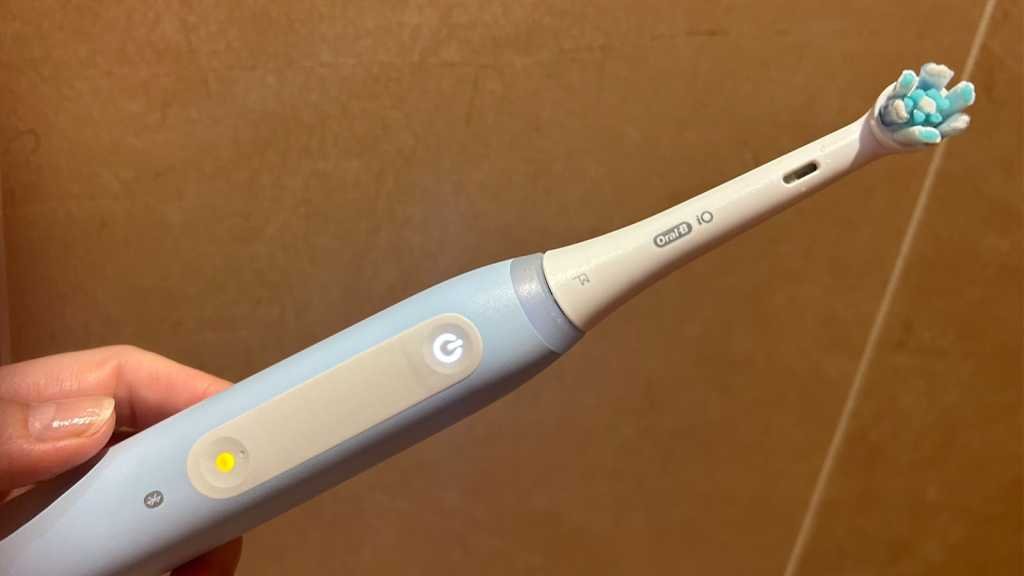
After using your Oral-B iO for a few months, you may have noticed that the centre of the Mode button has started to glow yellow. This may appear as an orange or amber light to you, but according to Oral-B, it’s a yellow light. While the toothbrush seems to be functioning normally, this change in the light may have caught your attention. So, what does it indicate and how can you address it?
If you’re in the market for an Oral-B electric toothbrush, check out our top recommendations in our comprehensive round-up of the best Oral-B models. Additionally, if you’re curious about the differences between various iO models and why there’s a significant price range, explore our complete Oral-B iO guide for more information.
One of the key features of the iO series is the feedback it provides during brushing. From quadrant alerts to a two-minute timer and a pressure sensor, these brushes offer valuable guidance for optimal oral care. The mode button on these brushes also serves a specific purpose, and when it lights up yellow, it’s trying to convey a message.
When the power button on your iO brush glows red, it indicates that the battery is running low. However, if you notice the mode button lighting up in yellow, like on the Oral-B iO Series 4, it signifies something different.
Decoding the Yellow Light on Your Oral-B iO Brush
The yellow light on your iO brush is a reminder to replace your toothbrush head, typically after about three months of use. Over time, brush heads lose their effectiveness, and using an old one may not provide the same level of cleaning as a fresh head. Look out for signs like splayed bristles or faded colors to know when it’s time for a replacement.
Resetting the Yellow Light on Your Oral-B iO
Once you’ve replaced the brush head, you’ll need to reset the brush reminder. On the handle, press and hold the mode button for two seconds. The brush will vibrate to confirm the reset. If you have a connected iO model, you can also set up a reminder in the Oral-B app.
In the app, navigate to the “Devices” section and sync your iO brush to customize the brush head reminder. By inputting the start date of the new head, you’ll receive a notification in three months for the next replacement cycle.
For more insights on top Oral-B models and detailed reviews, explore our selection of the best Oral-B brushes. Stay informed and make the most out of your oral care routine with the right tools and maintenance practices.