
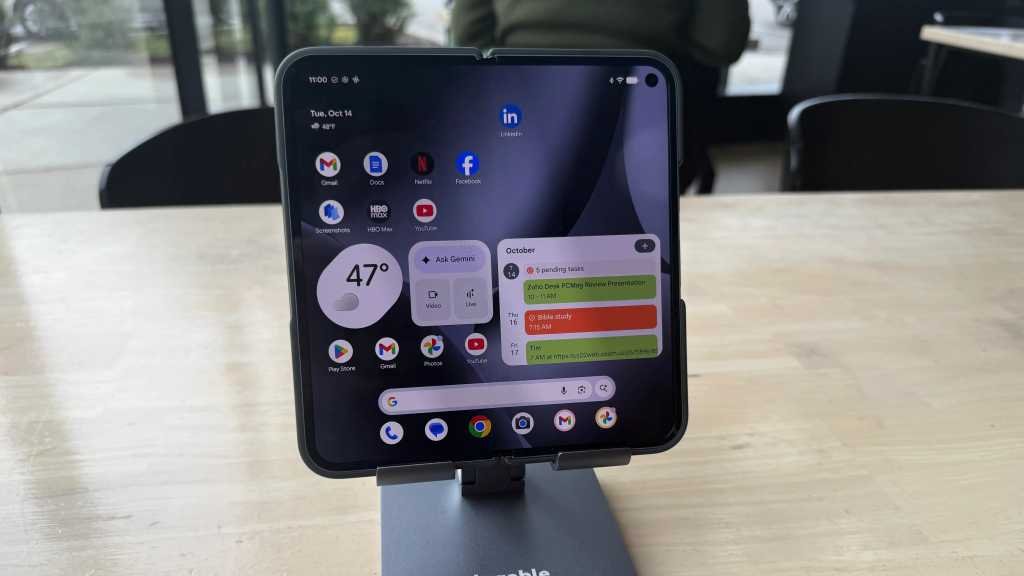
The ongoing debate in the realm of mobile computing over the past decade has centered around whether the smartphone in your pocket has the potential to replace the laptop in your bag. With the latest advancements in smartphone technology, there is no denying that these devices are now equipped to handle tasks such as word processing, web browsing, and content creation with the assistance of chatbots like Google Gemini.
Google recently introduced the Pixel 10 Pro Fold, featuring an 8-inch fold-open inner screen powered by the Google Tensor G5 processor. This new model boasts improved speed, extended battery life, and a brighter display compared to its predecessor. But the question remains: Can a phone truly serve as a viable replacement for a laptop in a professional setting?
To explore this question, I conducted a hands-on test with the Pixel 10 Pro Fold during a typical workday at a local coffee shop. Equipped with a keyboard, mouse, and smartphone stand, I utilized Google Docs, Gmail, Gemini, and Chrome browser to tackle my daily tasks. Here are the key insights gathered from my experience, along with some useful tips and tricks.
One of the first things I noticed while using the Pixel 10 Pro Fold was the shift in paradigm required when transitioning from a traditional laptop environment to an Android-based system. Tasks such as text selection and right-clicking presented minor challenges due to the differences in operating systems. However, with time and adaptation, I was able to navigate the Android interface effectively for my work requirements.
External hardware plays a significant role in determining the usability of the Pixel 10 Pro Fold as a laptop replacement. Pairing the device with a compatible Bluetooth keyboard and mouse proved essential for enhanced productivity. Additionally, accessories like the Pixelsnap Ring Stand and Plugable USB-C Stand offered convenient solutions for propping up the phone during work sessions.
The Pixel 10 Pro Fold’s impressive battery life of approximately 14 hours ensures extended usage without the constant need for recharging. For prolonged work periods, a backup battery such as the Anker Prime Power Bank can provide additional power on-the-go. Connecting the Pixel Fold to a computer monitor using the Anker 310 USB-C Adapter enables a more desktop-like experience, complete with a taskbar reminiscent of traditional operating systems.
Taking breaks and engaging in leisure activities are vital components of a productive workday. The Pixel 10 Pro Fold offers the flexibility to unwind with entertainment options like streaming movies or playing games on its vibrant display. Furthermore, the device’s functionality as a phone allows for seamless communication alongside work tasks, adding to its versatility in a professional setting.
In conclusion, while the Pixel 10 Pro Fold demonstrates significant potential as a laptop replacement, there are still limitations in terms of specialized software and high-end gaming capabilities. However, with continuous advancements in mobile technology, we are inching closer to a future where smartphones may indeed serve as comprehensive work devices. As the boundaries between mobile and computing devices blur, the Pixel 10 Pro Fold stands as a promising contender in the evolution of mobile productivity tools.